> ## Documentation Index
> Fetch the complete documentation index at: https://docs.picsy.uk/llms.txt
> Use this file to discover all available pages before exploring further.
# Directories
> Search the records and places available in PICSy.
Directories are useful when you want to find a known record, filter a market or inspect an area in more detail.
**Paid add-on: Directories**
**Planning** and **Developers**, plus enhanced care home details and regional measures, require the relevant **Directories** add-on. The sections and details you see depend on your access.
## Choose a directory
1. Open **Directory** from the main navigation.
2. Select the section you want to explore.
The Directory home page shows the sections available to you, along with a quick summary of what each one contains.
| Directory | What you can find |
| ----------------------------- | -------------------------------------------------------------------------------------- |
| **Carehomes** | Care homes, including their location, status, capacity and available operating details |
| **Planning** | Care-related planning projects, their status, dates, capacity and developers |
| **Operators** | Providers, brands and the homes connected to them |
| **Developers** | Developers and their planning projects |
| **Built Up Areas** | Settlements and their available local measures |
| **Local Authority Districts** | Districts and their available measures and rankings |
| **Counties** | Counties and their available measures and rankings |
| **Regions** | Regions and their available measures and rankings |
| **Metrics** | The measures available in PICSy, grouped with their descriptions and sources |
## Find a record
Directory pages use a familiar set of controls:
1. Use the filters above the table to narrow the results.
2. Search the table when you know part of a name or address.
3. Select a column heading to change the sort order.
4. Open **Columns** to choose which fields are visible.
5. Select a record name to open its details.
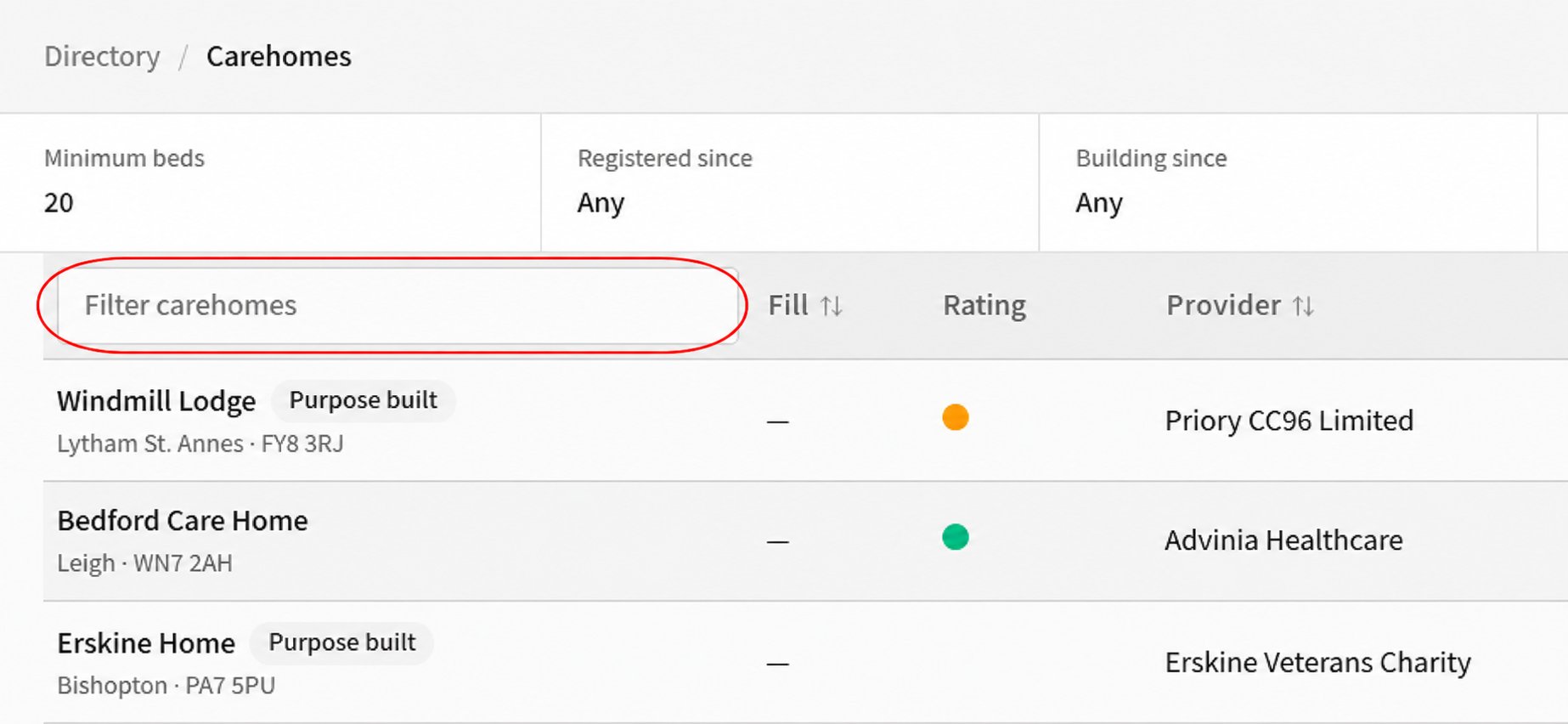 Use **Previous** and **Next** to move through longer result lists. The filters and columns vary by directory, so you only see controls that apply to the records you are browsing.
## Export a directory
Where **Download CSV** is shown, select it to export the results that match your current search and filters.
Next, [add a site and start an analysis](/get-started/add-your-first-site).
Use **Previous** and **Next** to move through longer result lists. The filters and columns vary by directory, so you only see controls that apply to the records you are browsing.
## Export a directory
Where **Download CSV** is shown, select it to export the results that match your current search and filters.
Next, [add a site and start an analysis](/get-started/add-your-first-site).