The Supply tab shows all care homes for your selected location.
Supply Map 01
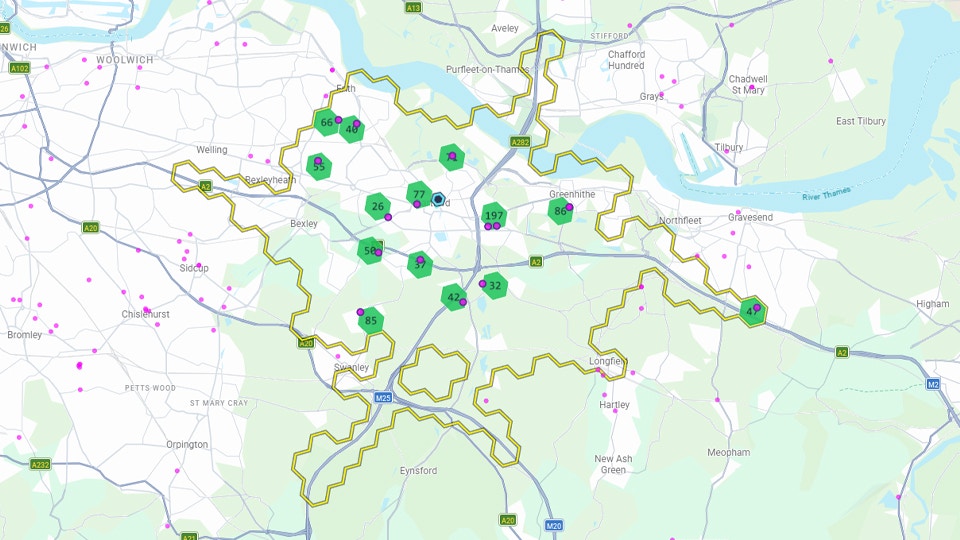
The map shows the location of care homes - hover your mouse over a hexagon to see details, click to see the full carehome detail page. The map view also shows the total number of beds in any hexagon (the numbers over the green hexes). That layer can be turned off in the map ‘Layers’ panel, top right over the map. Underneath the map is the filter bar, which lets you show/hide care homes according to your preference. You can filter by number of beds, first registration date, building age, and the % of ensuite or wetroom beds). You can also show/hide closed carehomes, and ‘specialist’ care (which includes Senior Living apartments, retirement villages, and care homes that deal with autism or neurological conditions).

Supply List

Supply List 01
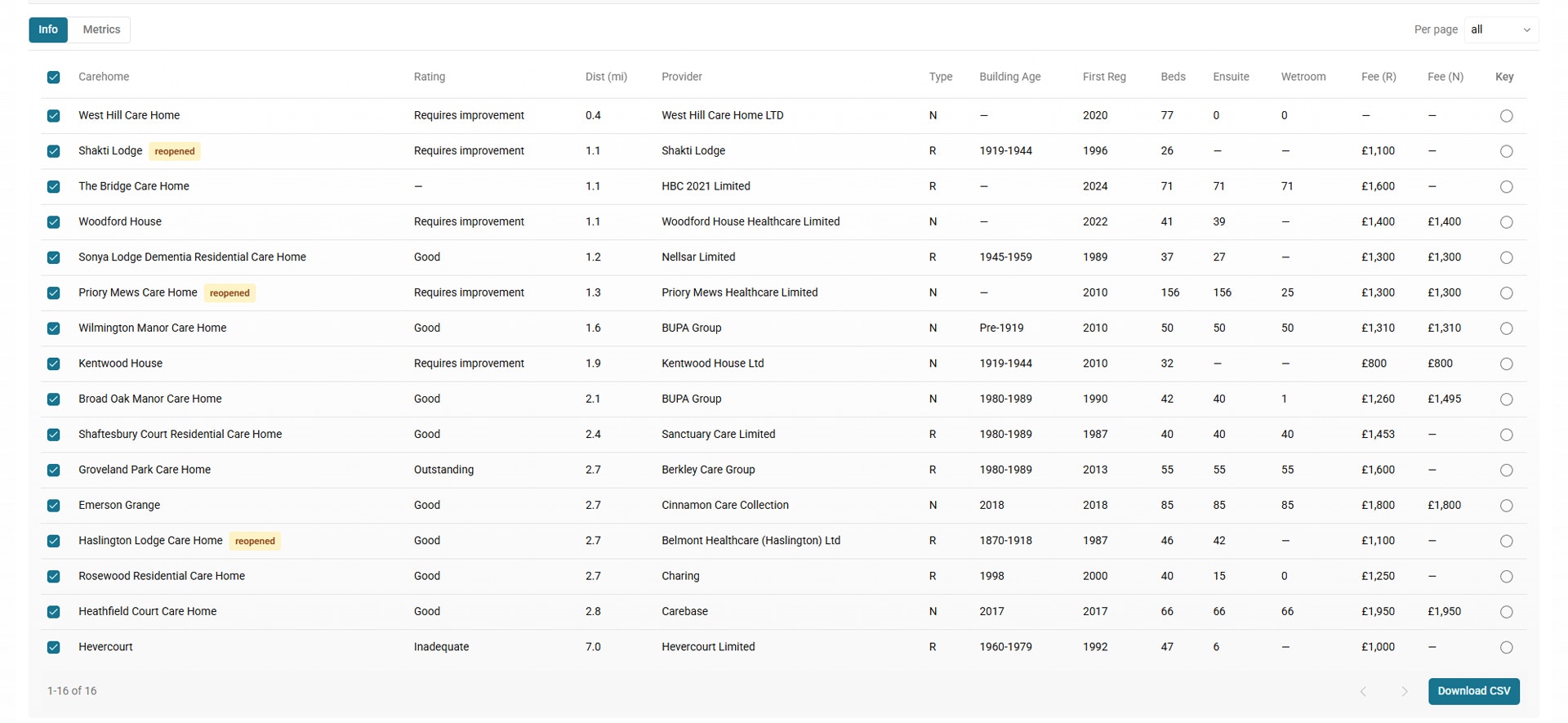
Below the filters is the supply list, showing detail on operator, bed mix, fees and other data points. Click the care home name to see the full detail page.

Supply List: Metric View

Supply List Metrics 01
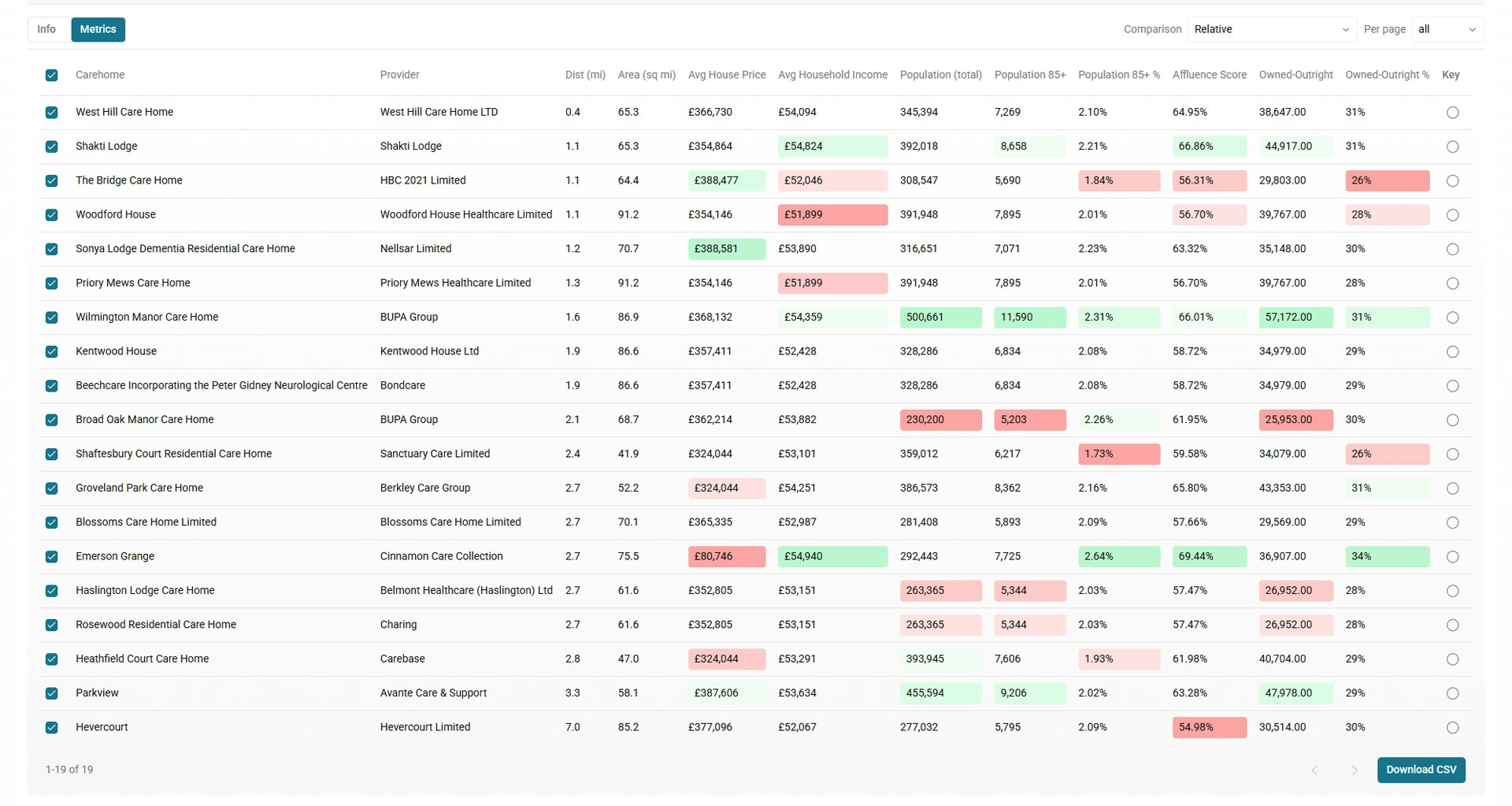
Clicking on ‘Metrics’ above the list switches the view to show metrics for each location for your selected Catchment Model.

Supply List: Download to CSV

The list can be downloaded to CSV for use in your own analytics. The download includes full care home details and all metrics.

Operator List

Supply Operators 01
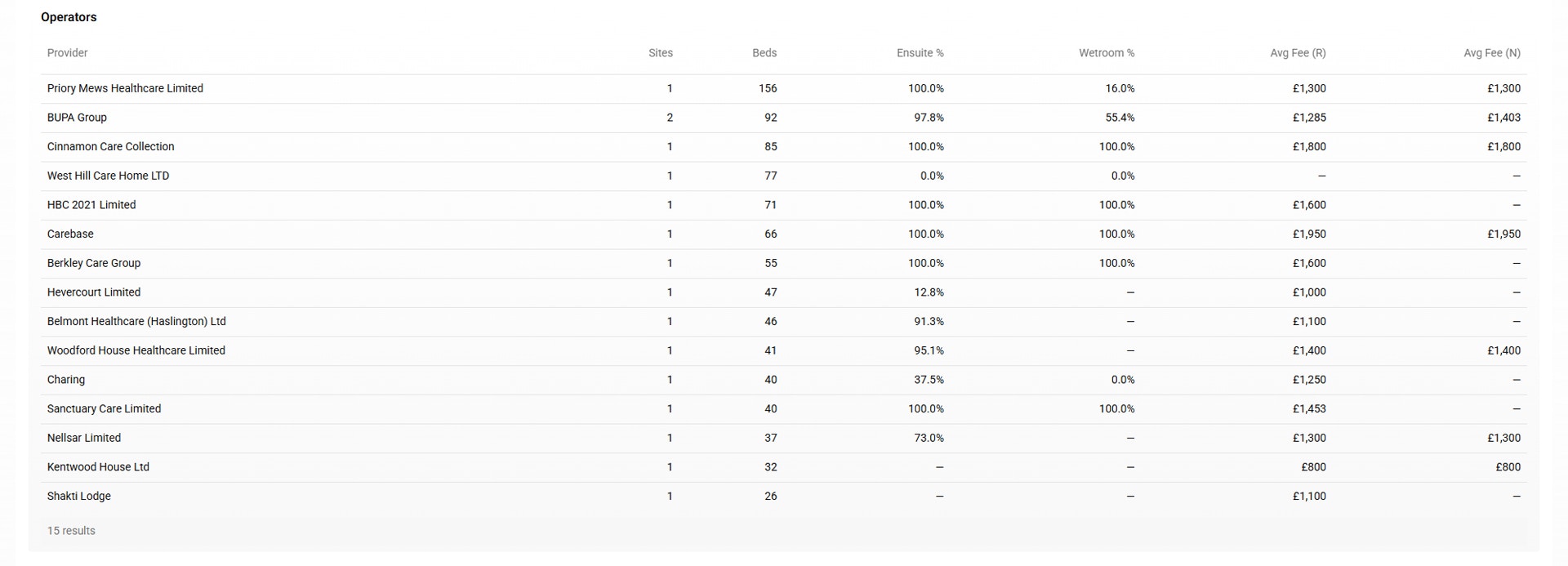
Below the Supply List is the Operator List - showing details on operators in the region. Under the Operator List is a series of tables that show more detailed informaiton on suplpy and fees brokwn down by different Bed Bands.

Bed Mix Tables

The Regional Occupancy chart shows reported occupancy by different region types since 2023. You can toggle the different lines on this chart on/off by clicking on the names in the legend under the chart.
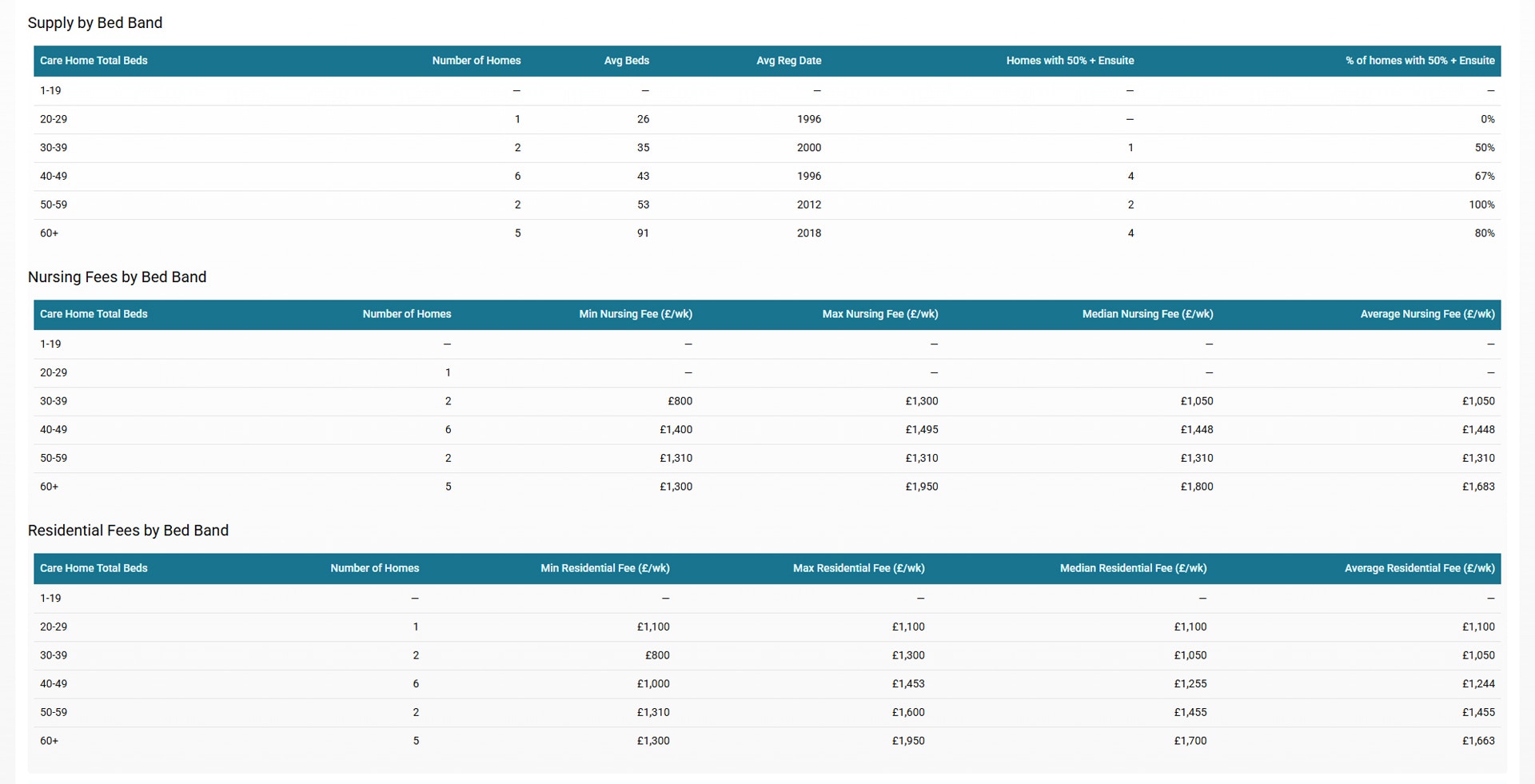
Supply Bedmix 01

Local Authority Fees

Supply Lad Fees 01
The Local Authority Fees are shown for both residential and nursing care, including historical values and Year-on-Year changes.