Add a site from an address, postcode, care home or point on the map.

Find the location

  1. On the dashboard, select Site under New.
  2. Search using Address/postcode/care home.
  3. Select the right result and check its position on the map.
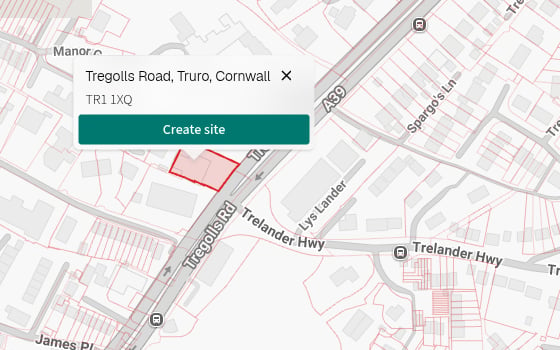
The label below each result tells you whether it is an address, care home or planning application. If an address does not identify an exact land parcel, PICSy centres the map on it. Double-click the correct point or select the parcel to place the site. A selected location on the Add site map, with the Create site button open.

Create the site

  1. Select Create site in the map pop-up.
  2. Review the site details in Add Site.
  3. Select Create.
PICSy saves the site and opens its analysis.

If the site already exists

Check Nearby saved entities before creating the site. If an existing site represents the same location, open it instead to avoid splitting work between duplicates. Next, get to know the analysis workspace.